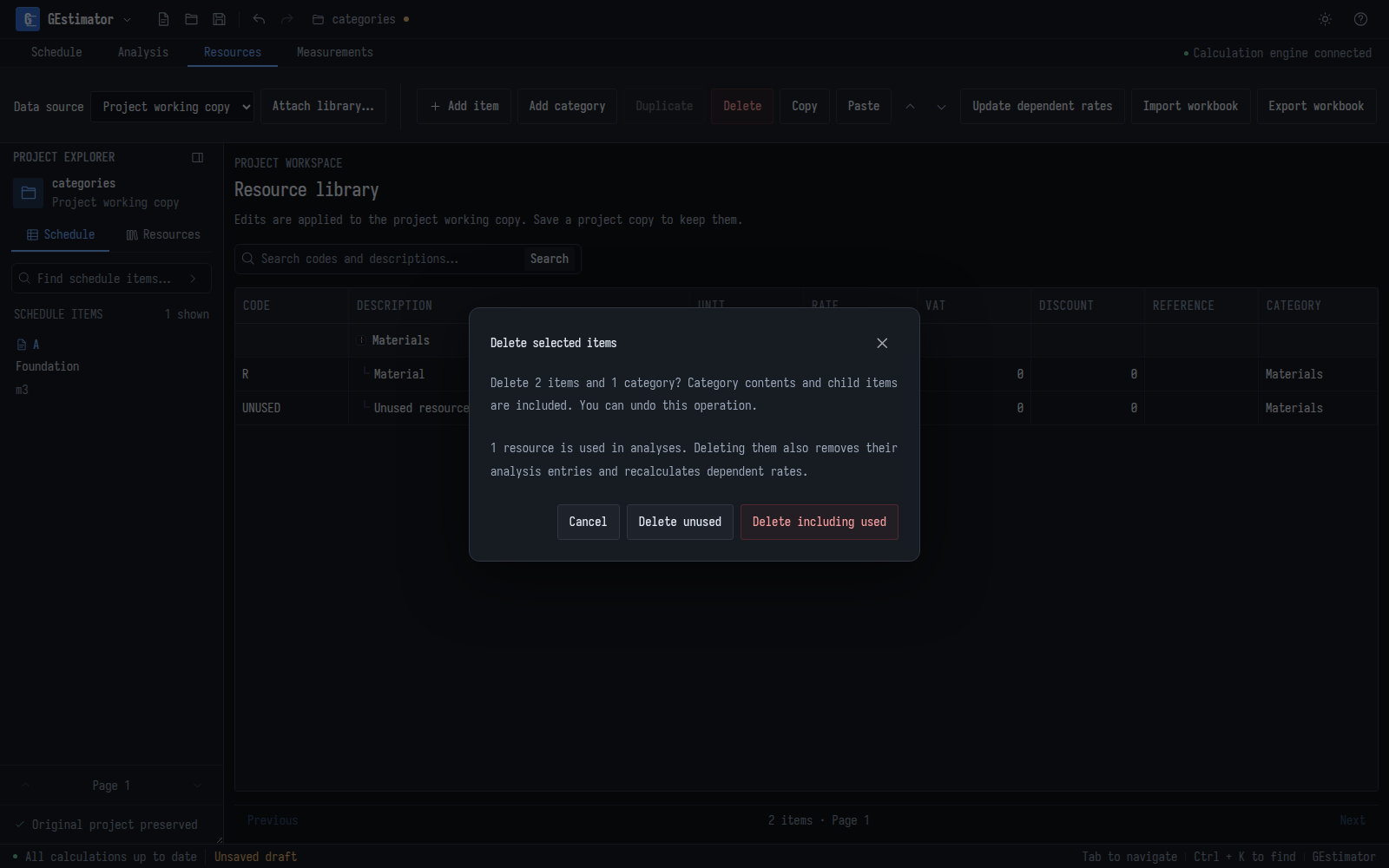
Dated validation evidence. Use the documentation index and testing guide for current guidance. Later entries may supersede earlier limits; keep historical results in their original date context.
Filter-inspired bulk-edit continuation (2026-11-16): 93 Python tests pass; the two affected analysis browser workflows and the new nested-condition/preset workflow pass, building on the 32-workflow baseline below. New checks exercise nested AND/OR groups, numeric ranges/inequality and empty-value operators, bounded nesting, project-independent typed MCP validation, named preset save/reload/delete across page reload, exclusion of project scope/IDs/revision from presets, and storage-write failures retaining current rules and project data. Production frontend, locked offline Linux native debug and rebuilt Python sidecar builds pass. The final frozen-process contract verifies nested rule validation, range/OR preview/apply, dependency rates, undo and original-source preservation. The reference filter components were inspected through GitHub; an interactive browser connection was unavailable.
Native packaging check (2026-11-16): the locked offline Linux debug build passes and produces modern/src-tauri/target/debug/gestimator-modern. The Python sidecar has been rebuilt with the project analysis-rule module.
Project analysis rules and persistent pickers (2026-11-16): 91 Python tests and all 32 Chromium workflows pass, with browser coverage completed in two batches after the first long run was terminated at 20 successful cases. Focused follow-up checks also pass after the final changes. New regression proof covers ordered type/text/numeric matches, category/child scope deduplication, insert/replace/delete and resource reassignment, dependency rates, atomic validation, dirty/stale guards, no-op history, preview/apply equivalence, project undo/redo, MCP adapters and source preservation. Persistent picker tests verify the same table instance, page, filters, selection and exact scroll without repeating library item queries, including editor switches and the separate rate workflow. Back-to-Schedule and Alt+Left use the dirty-draft prompt. Ribbons fit every tab from 1600 to 700 px, retain equal depth/aligned full icons, support enlarged desktop text and top-align short stacks. TypeScript/Vue production builds pass. The rebuilt frozen Python backend passes rules preview/apply/dependency/undo/source-preservation contracts. The existing bundle-size warning remains; native OS interaction is still a platform test gate.
Latest workbench/agent continuation (2026-11-15): 87 Python tests and 28 Chromium/Playwright workflows pass, with TypeScript/Vue production and locked offline Linux native debug builds and frozen-backend MCP read/write contracts. See the final section, workbench refinement and server workflow for scope and protocol boundaries.
Database picker refinement (2026-11-15): the Vue/TypeScript production build and five targeted Chromium workflows pass. Two new workflows cover Schedule/Resource picker category filters composed with search, source-change filter/selection resets, plain drag selection across category headings without selecting text, importing only the double-clicked item, undo and source-file preservation. The existing database/rate workflow, project category/toolbar workflow and cross-editor cell-navigation workflow also pass. Python/native code is unchanged in this increment; the prior full-suite/native results above are the baseline, not a new native platform test.
Environment: Ubuntu 26.04 x86_64, Python 3.14.4, Node 24.21.0, Rust 1.98.1, GTK 3.24.52 and WebKitGTK 2.52.6. Python dependencies are the existing requirements; PyInstaller 6.22.3 was added only to the development environment. npm/Cargo dependency locks are included.
Passed:
python -m unittest discover -s tests -v: six tests. Golden original-source calculations cover every analysis item type, VAT/discount, order-sensitive weights, rounding and final-rate selection. Service tests cover multiline edits, quantity/rate edits, copying/pasting, stable identities through moves, delete, undo/redo, stale revision, invalid decimals, subprocess protocol recovery and absence of GTK imports. Real DSREM2022 database tests cover isolated opening, paging, transaction rollback, edited analysis/resource persistence, saved calculated rate, project metadata preservation, source hash preservation, overwrite refusal and analysis Excel formula output.npm run --prefix modern build: TypeScript checking and production Vue build. One expected bundle-size warning: approximately 800 kB uncompressed JS with full Tabulator and component theme.cargo check --manifest-path modern/src-tauri/Cargo.toml --offline: Rust/Tauri compile check.python modern/bundle_backend.py: native Linux one-file sidecar build, GTK excluded. Frozen executable smoke test: state request, 100 sequential requests and shutdown exit 0.git diff --check passes.Performance smoke measurements (single local run, not a release budget): frozen sidecar startup/state about 204 ms, mean warm state IPC 0.033 ms for an empty demo; 10,000 resource entries with multiline descriptions, median Python state construction/evaluation 27.33 ms over ten iterations; Python maximum RSS about 59,184 KiB. These exclude Rust/WebView rendering and JSON transport of the large table. Reproduce engine benchmark with python -m modern.benchmark.
Not validated: interactive desktop flows, table navigation/clipboard behavior in WebKit, UI responsiveness at scale, full application memory/startup, crash replay, v1 migration, all external library variants, estimates containing custom measurement plugins, full Excel workbook/style/print equivalence, Windows/macOS installers and PDF output. A compile/build success is not feature parity. No original project file was migrated or replaced.
tauri build --debug --no-bundle pass. The native dialog plugin and close-event capabilities compile. The approximately 841 kB JS bundle still produces a size warning.These browser tests substitute the Tauri transport, not the engine. They do not validate real OS dialogs, native close interception, platform WebView differences, installers, or crash recovery. Screenshots are generated from real backend responses; the project screenshot uses DSREM2022. The computer-use browser host was unavailable, so native interaction remains a manual gate.
Reviewed rendered dark/light layouts and the populated DSREM2022 analysis; preview images are in screenshots/. A final frozen-backend smoke check passed state retrieval, structured missing-file error and clean shutdown. Native OS interaction remains unverified.
Final checks for this increment:
Iosevka 11) in the test transport; the actual native Rust bridge reads GTK/Pango settings, observes changes and compiles successfully.npm run tauri -- build --debug --no-bundle passes, including TypeScript, Vite and native Rust linking. The production JS bundle is approximately 874 kB uncompressed and still emits a size warning.git -c core.whitespace=cr-at-eol diff --check because the legacy schedule source retains its original CRLF line endings.Rendered schedule, resource and measurement examples are in screenshots/*-desktop.png. These are browser renderings of the desktop workspace, not evidence of native OS menu/dialog interaction. Native menus, OS dialogs, close events, live typography changes, Windows/macOS, cross-instance clipboard, save/recovery and the remaining entries in the parity ledger remain explicit gates. This increment does not declare full replacement parity.
Before shell edits, 24 Python tests and the production frontend build passed. After the change, five browser scenarios pass, including the four existing editing/export/import flows and a new logo-menu/ribbon/header-history scenario. Menu Escape/focus restoration, disabled file commands, icon-only accessible buttons, removal of duplicate tabs, active-view tool changes and project undo/redo through the header are covered. TypeScript/Vite and Rust checks pass. The Python protocol and calculation engine were unchanged in this milestone. Native OS interaction remains a manual platform gate.
.venv/bin/python -m unittest discover -s tests -v). Added coverage includes empty category visibility/rename/order/undo, category deletion with measurement records/remarks retained and links restored on undo, preventing association reuse after inserting another schedule item, used-resource protection/unused/all deletion and rate restoration, complete-category selection beyond a 100-row page, overlapping selection deduplication and invalid-ID rollback, prefixed library imports with parent code collisions/source hash preservation, and measurement record ordering with stable IDs/values/totals/undo/redo.cargo check --offline, and npm run --prefix modern tauri -- build --debug --no-bundle pass. The approximately 895 kB uncompressed JS bundle retains its existing size warning.git diff --check passes.The original GTK views and calculation methods are unchanged by these two milestones. No database schema change is introduced. Full parity is still gated by the remaining workflows in parity.md, especially save/recovery, advanced editor operations, spreadsheet equivalence and native/cross-platform interaction. Chromium tests substitute native IPC/dialog transport; they do not verify real WebKit/OS behavior.
Validated on Windows 11 x64 (build 26200) with Visual Studio Build Tools 2022, Windows SDK 10.0.26100.0, Edge WebView2 157.0.4341.46, Rust 1.99.0 (MSVC), Node.js 24.20.0, npm 11.19.0, CPython 3.14.8 and PyInstaller 6.22.3.
npm.cmd run --prefix modern tauri -- dev started the app in WebView2 and connected to the Python engine. The open-project dialog launched the native Windows file picker.npm.cmd run --prefix modern tauri -- build --bundles nsis -- --locked produced an x64 installer. Archive inspection confirmed it contains the app and sidecar executables. A clean-machine installation and the full native interaction matrix remain to be exercised.All 31 Python regression tests and seven Windows Chrome/Playwright scenarios pass. The price update tests cover selected categories, exact resource-code matching with library prefixes, unmatched resources, dependent rate recalculation, undo and redo, and preservation of the attached source. The Windows x64 NSIS installer was rebuilt, and its release sidecar passed a preview, apply, dependent rate and shutdown smoke test.
The Windows suite passed 32 Python tests and eight Chrome/Playwright scenarios. Resource usage tests exercise the original aggregate quantity method, analysis multipliers, VAT, discount, search, paging, direct-reference lookup and navigation into the analysis editor. The dependency browser lists directly referencing analyses. Resource totals reflect the current project working database.
The Schedule ribbon now exposes row colouring, selected-item quantity refresh from linked measurements, and the project Resource usage dialog. Colour and quantity updates reuse the legacy database methods and apply to explicitly selected items. Category rows and unselected descendants are excluded. Custom colours persist in project copies, and the table chooses black or white text against each saved colour.
Windows validation passed 34 Python regression tests, nine Chrome/Playwright scenarios, the locked Cargo check and the production Vue build. Coverage includes saved colour round-trips, multi-row selection, colour contrast, clearing and undo/redo, and applying legacy measurement rounding to selected items. The frozen sidecar passed a colour, undo and shutdown smoke test.
Windows validation passed 36 Python tests, nine Playwright scenarios and the Vue production build. Tests cover moving whole branches across categories, cycle rejection, hierarchical codes, preserved measurement IDs and active analysis across undo/redo, prefixed library sub-analysis insertion, dependent rates and source-file preservation.
Windows validation passed the 38 persistence-inclusive Python tests, ten Playwright scenarios, the locked Cargo check and Vue production build. Fixtures cover backup contents, external edits, preservation of a rejected draft, recovery of an unapplied analysis, and saving a recovered project as a new file. Browser coverage exercises Ctrl+S and reopening via the recent-project selector.
The resource usage browser follows references through nested sub-analyses, deduplicates results and marks indirect references. The 39-test Python suite passed, including a three-level dependency fixture. Aggregate resource totals still use the GTK calculation.
The Analysis ribbon previews and imports six-column analysis ranges through the GTK parser. The Measurement record toolbar imports editable template columns from a worksheet range, with original callbacks calculating the derived columns and totals. Formula cells rely on saved workbook values. Whole-item measurement selections support ordered copy, paste, duplication, movement and deletion. Changes are undoable.
The Windows checks passed 42 Python tests, the ten existing Playwright scenarios and the new Excel import scenario. Tests cover worksheet preview, draft undo, measurement calculations, rollback on an invalid record, and measurement selection order.
The Analysis ribbon inserts the shipped GTK default rows into a draft. The Schedule ribbon recalculates the selected analyses and their dependents. Both operations are undoable. All 43 Python tests passed, including these operations.
Implementation commit 6cd7f7d passed 43 Python tests, 11 Playwright scenarios on Windows Chrome and the Vue production build. The locked Windows release build produced the x64 NSIS installer. Archive inspection verified the desktop and sidecar executables. A separate frozen-sidecar smoke test restored an unapplied analysis across two processes, saved it to a new file and verified the recovery entry was cleared.
The browser suite uses the real Python engine with a test transport. Native Windows coverage to date includes startup, engine connection and opening the OS file picker. Clean-machine installation, concurrent GTK saves, native dirty-window close, and the wider platform and workbook comparison matrix remain open. See the handoff plan.
The application menu now contains application/file commands only. Explorer visibility is an icon-only quick action immediately after undo/redo, while compact rows, group expansion and inspector visibility are owned by an Analysis ribbon View group. Schedule, Analysis, Resources and Measurements use the same fixed ribbon depth and categorized action groups. Review restored the earlier Analysis scale (24 px icons and normal-size toolbar text) and made a single row standard, with a two-row Analysis clipboard group. Familiar edit, ordering and view operations use icons with accessible names. A shared ribbon measures the actual action widths after tab changes, resizing and font loading, switching to a two-row icon layout when necessary rather than clipping at a fixed breakpoint. Tooltips explain the action, selection scope and save/undo implications.
Browser coverage includes control placement, Explorer hide/show, equal ribbon depth, all four ribbons fitting at 700/800/1100/1280/1366/1600 px, descriptive tooltip content, and manual-activation keyboard tab navigation. Arrow keys/Home/End focus tabs; Enter/Space activates through the existing draft guard. Project tables add Ctrl+D, Delete and Alt+Up/Down, including focused measurement records, while text editors retain native shortcuts and modal dialogs suppress background editor shortcuts. The measurement regression exercises record duplication by keyboard. Python computation, database and protocol implementations are unchanged. Native WebView scaling and accessibility settings remain platform validation gates; this pass does not claim the remaining data, file-safety, reporting or cross-platform parity gates are complete.
Review validation: all 43 Python tests and 11 Chromium/Playwright scenarios passed, along with the Vue/TypeScript production build, locked offline Cargo check and whitespace check. The existing production bundle-size warning remains. Reviewed the restored Analysis and Schedule toolbar scale in rendered screenshots.
Implemented persisted library paths and a shared attach/retry/forget manager. Browser evidence uses actual file snapshots and fresh backend processes: repeated attachment, browser reload, process restart, moved/missing sources, forgetting stale paths and byte-for-byte library source preservation. An editor session key resets visible project tables on open/new rather than retaining rows from the previous working copy.
Bulk analysis editing and configurable row templates use a bounded Python batch adapter that calls the existing row-edit, numeric-validation and calculation methods. Preview evaluates an isolated draft copy, preserves revision/history and restores the original even when an operation fails. Apply uses the existing transaction around draft edits, producing one undo step. Regression tests cover currency rounding, preview/apply agreement, partial-batch rollback, stale revisions, unsupported operations, template ordering and undo. The template is stored as versioned application preferences; saving it first validates through preview. No frontend arithmetic or database schema migration is introduced.
Measurement state now exposes the eight templates’ existing column widths, expansion flags and numeric-input metadata. Python tests compare these against each original template while retaining the calculation/export checks. Browser checks exercise the 16-column steel template, user data, arithmetic strings, narrow layout and read-only calculated cells. Shared keyboard table handling covers Home/End, arrow navigation, Shift range selection, Ctrl/⌘+A, Escape and Enter-to-analysis.
Repeated transition testing exposed a loading-state render loop: a fresh empty-array prop caused table replacement, empty-selection emission and another render while the first measurement response was pending. Stable empty-row props and ignoring redundant empty selections resolve the loop; the transition passed five consecutive browser runs. Its regression now deliberately delays the measurement response to exercise the loading state. Temporary debugger instrumentation was removed.
Save/recovery fault tests cover partial snapshot writes, backup failures, failed destination replacement, failed checkpoint publication, modern save locking and stale second-window saves. They verify source/checkpoint bytes, dirty draft state and staging cleanup; replacement failure is injected and is not a claim of a real Windows file-held-open test. GTK concurrent writes, hard process interruption, clean installers, cross-instance clipboard and the full Excel/LibreOffice/platform matrix remain explicit parity gates.
Final checks: 48 Python tests and 14 Chromium/Playwright workflows pass. The TypeScript/Vue production build and locked offline Linux native debug build (tauri build --debug --no-bundle -- --locked --offline) pass. Rebuilt the PyInstaller sidecar; a frozen-process smoke check verified template discovery, non-mutating batch preview, apply/undo and measurement layout metadata. Reviewed the custom-template dialog and narrow steel-table layout screenshots. The existing JavaScript bundle-size warning remains.
The all-template export regression now compares the modern workbook with a workbook produced by directly invoking the existing GTK data-layer writers: all five worksheets match on cell values/formulas/types/styles/number formats, merges, row/column dimensions and page/print settings. With LibreOffice installed, the same test additionally uses an isolated profile to round-trip the workbook through headless LibreOffice and checks that all five sheets remain and no cached formula-error cells appear. This passed locally with all eight templates populated. It does not establish visual print equivalence or the full real-project/Microsoft Excel corpus.
Checkpoint dd90598 commits the preceding ribbon/editor increment. Program Settings is implemented separately, following the GTK default_program_settings, ProgramSettings dialog and SelectScheduleDialog behavior: workbook description splitting, five-place schedule-rate multiplication, trailing-row replacement count (0–5), default analysis rows, Modify & Add replacement rows and custom database folder access. Settings are available without a project, stored as versioned JSON application preferences, validated using existing Python decimal/currency and analysis routines, and applied only on Save. Cancel and restore-defaults act on an isolated dialog draft. The existing custom template editor shares the default-row setting; old modern custom-template JSON is carried forward. No GTK pickle preferences are deserialized.
The configured default rows are used both by the ribbon and for empty analyses as an undoable dirty draft. Modify & Add is a distinct schedule-library action and one project undo step. It preserves the GTK guard on replacing trailing rows (nonzero count, nonempty replacement, source length greater than count) and the original multiplied stored rate even when the changed analysis calculates a different rate. Tests cover code collisions, source references, invalid-settings rollback, undo/redo and unchanged library source bytes. Plain import is unchanged.
The library dialog discovers bundled and legacy-folder custom databases. The sidecar now includes DSR2021/DSREM2022 assets; stable bundled: identifiers avoid persisting PyInstaller extraction paths. Backend canonical-path deduplication reuses a snapshot across path aliases, and the attach result identifies the reused source for the frontend. Directory discovery is non-recursive; choosing a database still attaches an isolated read-only snapshot. Native folder opening is implemented with platform file-manager commands and remains an interactive target-platform check.
52 Python tests and 16 Chromium/Playwright workflows pass. Browser evidence includes no-project settings access, invalid arithmetic, Save/Cancel/reset/reload behavior, blocked preference storage preserving active settings, visible fallback warnings for invalid saved settings, real joined/split workbook exports, configured default rows/blank analyses, Modify & Add and source preservation. Reviewed the settings dialog screenshot. The TypeScript/Vue build, locked offline Linux native debug build and whitespace check pass. The rebuilt frozen sidecar passes settings validation, bundled database discovery, read-only attachment and deduplication. The existing bundle-size warning remains; native folder opening and Windows/macOS packaging are not claimed by these checks.
Committed the Program Settings checkpoint as 8f6c35c before proceeding. Added the Tauri clipboard-manager plugin with text read/write permissions and a bounded versioned JSON codec in Python. Analysis, schedule, resource, whole measurement and measurement-record copy/paste now work across modern instances. The codec validates the editor/version, fields, decimal arithmetic, hierarchy and installed measurement templates before mutation. It rejects GTK pickle payloads and arbitrary Python expressions. Paste delegates to existing analysis/project transactions and undo; no calculation engine or database backend is ported.
Regression coverage exercises destination resource reuse, copied schedule stored rates, category/subtree overlap, empty categories, duplicate-code suffixes, required sub-analysis transfer/conflicts, measurement schedule-code remapping, missing-link warnings, template-matched record paste, all eight templates’ raw values/user data/totals, malformed/cyclic payload rejection, stale revisions and rollback after an injected second insertion failure. Unnamed legacy resource groups use an empty string in the wire format. Numeric measurement input is validated before calling legacy callbacks. Limits are 500,000 characters, 1,000 items/dependencies and 1,000 records per measurement item.
Browser tests run two isolated browser contexts and two independent persistent Python processes, sharing only a simulated native clipboard transport. They cover keyboard/toolbar copying, toolbar/native-paste-event insertion, rejection of ordinary text by row paste, undo, matching-template records and explicit fallback feedback when clipboard access fails. Existing TSV cell paste and text-field behavior continue to pass. Tabulator’s competing built-in clipboard copy is disabled. This proves the UI/protocol integration; actual OS clipboard read/write remains a native-platform gate.
Added explicit schedule Add subitem and the GTK Ctrl+I/Ctrl+Shift+I insertion shortcuts, Ctrl+E analysis and Ctrl+M colour; Analysis selects library/custom resource entry, and a focused measurement record table inserts records. Creation, duplication and paste retain schedule parents and inherit their category, including parents with a unit and nested items. Adding with a category selected uses item creation rather than category-edit dispatch. The focused keyboard browser workflow and backend hierarchy tests pass. GTK automatic numbering/insertion positions and remaining dialog/shortcut details remain in the parity ledger.
62 Python tests and 19 Chromium/Playwright workflows pass, along with the TypeScript/Vue production build, locked offline Cargo check, Linux native debug build and whitespace check. Rebuilt the PyInstaller sidecar and exercised all five clipboard kinds across two frozen processes, with arithmetic totals, schedule links, undo, saved-project reopening and source byte preservation. Reviewed the Schedule screenshot with the new subitem action; shared-depth/narrow-ribbon tests pass. The existing JavaScript bundle-size warning remains. Native clipboard operation, Windows/macOS builds and the broader file-safety/report/platform matrix are not established by these checks.
Implemented the three requested editor areas after c649ec6: selection-aware schedule/resource insertion and GTK numbering suggestions, modern keyboard/context interactions and resource editing/relocation, and the remaining measurement-template workflows. The editor review records the detailed behavior, unusual legacy conventions and deliberate modern alternatives.
Insertion tests cover category starts, last selection in visual order, root/child positioning, explicit parent inheritance, generated codes with and without a selection, blank-code subitems, duplicate/paste hierarchy, library destination selection and unchanged source bytes. Queries honor saved child order. SQL rank counts reveal inserted rows on another page without materializing all IDs in Python. Browser evidence covers insertion into a collapsed category, selection/reveal, F2 editing, right-click analysis navigation, whole-resource editing and category moves with undo. Context menus filter actions that do not apply to categories or multiple selections.
Measurement Properties stages and atomically saves descriptions, schedule links/remarks and user data. Steel labels/constants are grouped by bar, and mapped column headings use their corresponding labels/remarks. Browser checks cover Save/Cancel, invalid arithmetic, constant normalization, schedule search/selection, safe text headers, bulk insertion, record pages, ordered multi-record copying/pasting/deletion, undo and authoritative restoration after rejected cell edits. Ctrl+A and TSV paste avoid tree-only calls on flat record tables. Module-cache tests verify reuse, independent mutable defaults and changed-source invalidation, including equal-length edits within one second.
The 200-cell/100-record comparison with the previous committed editor path returned the same NLBH total (2400). Model reads/writes dropped from 600/200 to 1/1; observed local elapsed time dropped from 0.8032s to 0.0048s. Both paths used the new module cache, isolating batching. Regression assertions cover counts, totals and rollback rather than wall-clock thresholds. Record rendering is paged; the underlying legacy JSON model is still parsed as a whole. Template formulas, currency routines and project schema remain unchanged.
Final checks: 72 Python tests and 21 Chromium/Playwright workflows pass, including the original all-template calculation/export comparison and optional LibreOffice round trip. TypeScript/Vue production and locked offline Linux native debug builds pass; incremental Cargo output is disabled for the native build to limit disk usage. The rebuilt frozen sidecar passed a two-process smoke check of generated numbering, blank-code children, eight template descriptors, grouped steel properties, arithmetic constants, 105-record paging, cell batches, multi-record clipboard, missing schedule links, undo and saved-project reopening with original source bytes preserved. Reviewed the steel-properties dialog screenshot. The existing JavaScript bundle-size warning remains; OS clipboard, native input methods, Windows/macOS packaging and broader real/custom-template projects remain platform/corpus validation work.
Starting checkpoint c813c2c was clean. Schedule and Resources now open a separate database selector while retaining the working project and insertion target. Attachment management belongs to the fifth, equal-depth Databases ribbon tab. Attaching keeps its dialog open, updates the attached rows immediately and uses a separate Close action. Selected schedule-rate refresh previews and copies matching stored rates without replacing descriptions or analysis rows; resource refresh retains the existing rate/VAT/discount/reference update and dependent calculation behavior. Both apply through existing undo transactions. Program Settings consolidates all Modify & Add options in one tab. See the workflow review, including the proposed named-rule presets.
Native single-select controls now open themed menus matching the application menu. Browser checks click these popups to select databases and grouped General/Civil/E&M templates. Enter accepts dialog/table text; Shift/Ctrl+Enter preserves multiline descriptions. The original Python record renderer supplies accepted numeric values and Breakup, while editors retain raw expressions. All eight templates compare against their existing render callbacks. NLBH fixtures verify numbers, length, area, volume and empty records with optional blank dimensions; no formula or database schema changes are introduced.
76 Python tests and 23 Chromium/Playwright workflows pass. New coverage includes repeated attachment without closing, dialog-to-tab attachment refresh, selection-aware schedule/resource imports, schedule-rate preview/apply/undo, unchanged source bytes, themed popup interaction, multiline acceptance, raw-expression editing and original Breakup display. The rebuilt frozen backend passed attachment/import, rate preview/apply/undo, template groups, expression/rendered-value agreement, optional NLBH dimensions and saved-file reopening with source bytes unchanged. Reviewed the database-picker and measurement-expression screenshots. The TypeScript/Vue production build, locked offline Linux native debug build and whitespace check pass. The existing bundle-size warning and native/platform/corpus validation gates remain.
After c28a449, Databases changes only the ribbon and opens the existing attachment dialog; the unnecessary database page is removed. The new MCP tab also preserves the active editor, selection, draft, inspector and header undo context. Full ribbon buttons reserve equal caption height so one/two-line captions align their 24 px icons. Browser assertions compare visible full-button icon positions, exercise all six equal-depth ribbons at the established narrow widths/enlarged font size, and preserve schedule selection and dirty analysis state across application-tab changes.
The local authenticated, read-only MCP listener implements initialization, tool discovery/calls, notifications, ping and JSON HTTP responses using Python’s standard library. Its seven bounded tools expose the current project, schedule, resources, active analysis, measurements and attachments through existing service methods. HTTP requests and desktop commands share one service/SQLite owner thread via a bounded queue. Desktop operations retain their existing timeout behavior; MCP reads have a 30-second wait limit. Start/Stop, port validation, automatic-start preferences, token rotation, copied/revealed client configuration and tool/activity inspection are implemented. Bind conflicts and invalid saved settings are visible outside the MCP tab and recover through its configuration dialog. See the supported protocol, tools and lifecycle.
81 Python tests and 25 Chromium/Playwright workflows pass. New HTTP tests cover discovery/initialization, notifications, malformed transport messages, authentication, Host/Origin restrictions, concurrent desktop/HTTP reads, live project/measurement results, rejected write/extra-argument attempts, configuration validation, port conflicts, restart, token rotation and shutdown cleanup. Browser tests use the real backend and HTTP listener to verify saved automatic startup across a backend restart, client configuration, old-token rejection, startup-error recovery and unchanged project files. Existing calculation/export, clipboard, insertion and persistence workflows remain green.
A repeated browser run exposed an existing test wait that parsed plain clipboard text before asynchronous copying completed. The wait now tolerates the intermediate value, matching the other clipboard assertions. The corrected clipboard workflow and the new MCP workflow each passed three consecutive runs, with a clean runner exit. The other 24 workflows passed in the full run; no application change was needed for the test timing issue.
The TypeScript/Vue production build, locked offline Linux native debug build and whitespace check pass. Rebuilt the frozen sidecar and verified initialization/discovery, live schedule reads, raw measurement expressions, original evaluated display/Breakup, unchanged state/source bytes, saved-file reopening and listener release on shutdown. A final artifact smoke check repeats authenticated live reads and shutdown cleanup. Reviewed the MCP settings screenshot with masked token and aligned ribbon icons. The existing bundle-size warning remains. Third-party client setup, native Windows/macOS behavior and the broader platform/report/corpus gates remain explicit validation work; no Python computation/database port or project schema change is introduced.
Implemented all nine requested workbench/agent areas after fe9cd45. Light-theme fonts are darker and secondary dark-theme text has higher contrast. Tighter chrome/forms/table spacing and removal of visible instructional headings/legends expose content. Minor ribbon actions use two rows with captions; full action icons remain aligned. Tauri disables native decorations and enables client-side drag/minimize/maximize/close controls; Close uses the existing dirty-project guard. Browser evidence verifies the transport calls, while native compilation verifies configuration/capabilities. Native platform/window-manager interaction remains a manual gate.
Schedule omits category/parent columns and Resources omits category. Category rows are bold. All trees remain expanded, without tree controls or collapse commands. Category filters run in SQL before paging/counting, compose with search and preserve matching ancestors/selected empty categories. Fixtures cover 105 items across pages, parent/child context, multiple categories, resources and malformed inputs.
Shared cell navigation starts editing with Enter/F2 and commits before Tab/Shift+Tab/arrows continue editing. It skips calculated fields and rows where the target column is not editable, retains raw measurement expressions/Breakup and preserves modified-Enter newlines. Invalid/stale values restore authoritative data and reopen for correction with typed text retained. A regression exposed F2 retaining the previous anchor after insertion; focus now follows explicit row selection, and the insertion/relocation workflow passes. Tests that previously blurred by clicking removed headings now use the table header. Narrow-window review also found transparent frozen headers; the Amount header is now opaque, and navigation scrolls off-screen editors into view without hiding them behind that column. A browser assertion verifies the editor’s bounds and header background at 1100 px.
MCP now exposes 110 typed application operations plus seven read aliases. A saved read/read-write mode controls discovery and execution; existing settings remain read-only. Every write requires the current revision, and existing engine guards/transactions/undo remain authoritative. New operations cover project files/settings/recovery, complete database metadata/definitions, schedule/resources, analyses, measurement items/records/properties/links, portable transfer, imports/exports and batches. Status polling omits schemas and refreshes desktop content only after a change sequence, deferring while a cell/dialog is edited. Browser tests verify the real HTTP write path, visible updates, retained human input and stale-edit retry, returning to an agent-created dirty analysis, and resetting after agent-created projects.
87 Python tests and all 28 Chromium/Playwright workflows pass. Python contracts prepare an estimate, calculate/preview/apply analysis, measure/link/update quantities, export, save with backup and reopen; they also verify attached-database metadata/import/source preservation, concurrent revision races, strict argument/access guards, atomic failure and committed-operation recovery warnings. A held-body HTTP regression first reproduced a write arriving through an old listener after Stop; listener generations are now checked on the owner thread, rejecting that request even after a restart with the same token. The rebuilt frozen executable passes three of these complete HTTP contracts: preparation/save/reopen, database reads/import/source preservation, and read-mode/revision/rollback boundaries. TypeScript/Vue production, locked offline Linux native debug build and whitespace checks pass. Reviewed compact light-category and dark-workbench screenshots. The existing bundle-size warning remains; third-party MCP clients, native input/window-manager behavior and Windows/macOS packaging remain platform gates. No computation/database backend port or project schema change is introduced.
Implemented the coordinated 19-tool MCP migration and metadata/dictionary/FTS5 core. Old aliases/dotted names are removed only from MCP exposure; desktop service operations and original calculation engines remain authoritative. Embeddings, bulk AI generation and changed bundled database files remain deferred.
Validation on Linux:
.venv/bin/python -m unittest discover -s tests -v: 111 tests pass. Coverage includes atomic compound failure/preview rollback, one-step undo/redo, revision races, dirty drafts, parent imports/placement/cycles, source preservation, rate warnings/stored-rate mode, measurement title mapping, malformed/missing enrichment, FTS5 fallback, and bounded SQL view isolation (including CTE impersonation and non-JSON values).tools/list result: 16,204 bytes with compact JSON; a JSON-RPC response with integer ID 1 is 16,238 bytes, below 16 KiB. Exactly 19 unique valid names; eight tools in read-only mode. Measured tool tokens: 3,601 cl100k_base / 3,731 o200k_base. Server instructions: 217 / 215 tokens, before the short access-mode suffix. Tokenizer was installed under /tmp for measurement only; no runtime dependency was added..venv/bin/python tools/evaluate_search.py --output docs/migration/mcp-search-report.json: 30 queries per bundled database. Dictionary-assisted recall@5 is 0.8667 DSREM2022 / 0.9000 DSR2021. MRR@5 is 0.8167 / 0.6744; corresponding plain FTS5 MRR is 0.8000 / 0.6761. This is modest ranking benefit on the electrical set and near-neutral on the civil set, not evidence for adding embeddings yet.npm run build --prefix modern: production build passes. The existing large-bundle advisory remains.PLAYWRIGHT_CHROMIUM_EXECUTABLE=/home/manu/.cache/ms-playwright/chromium_headless_shell-1234/chrome-headless-shell-linux64/chrome-headless-shell npm run test:e2e --prefix modern -- --grep 'MCP|enrichment': four browser tests pass, including UI synchronization/stale human edits, MCP controls/startup recovery, and enrichment label/clear/undo with source preservation. The executable override uses the installed browser because the current Playwright default revision is absent. Enrichment screenshot was visually checked.npm run bundle:backend --prefix modern: native sidecar rebuild passes; its JSON-line smoke test finds 1.10.1 in the top five and reads the packaged socket/outlet dictionary entry. Dictionary assets are explicitly included in the package.git diff --check: passes.Third-party MCP client interoperability and other native platforms remain separate release checks.
The compact Analysis editor padding regression was reproduced by comparing committed multiline text coordinates against its textarea: the editor moved text 7 px horizontally because the compact cell’s CSS padding overrode the editing rule and duplicated the shell padding. The final editing override passes the same coordinate assertions, retains row height after Enter, and preserves existing schedule/resource tree decorations and measurement multiline geometry.
Appearance now uses a themed installed-font autocomplete. Browser coverage checks the full installed list, filtering, popup colors and stacking above the settings dialog, pointer and keyboard selection, typed names, Escape dismissal, and persisted independent interface/table settings. Open-combobox Enter is excluded from the shared dialog-submit handler.
All four focused Chromium/Playwright workflows passed in one run: appearance
settings/library rules, text editor geometry, tree geometry/focus rings and the
new multiline Analysis regression. The Vue/TypeScript production build passed
with the existing bundle-size warning. Screenshots of the font suggestion popup,
editing Analysis text and accepted Analysis text were visually reviewed. The
installed Chromium headless shell was selected through
PLAYWRIGHT_CHROMIUM_EXECUTABLE; the current Playwright default browser download
was unavailable. Python, frozen-backend and native-platform checks were not rerun
for these frontend-only fixes. Broader release gates remain open.
The earlier padding/font review fixes were committed as 20a2b3a before this
increment. Escape is handled by the shared cell-navigation controller: it cancels
the editor, retains its coordinate and focuses the cell. Browser checks exercise
cancel/reopen and adjacent-cell navigation in Schedule, Resources and Analysis,
and cancellation/reopening in measurement records. Canceled text is not stored.
Analysis loading refreshes the schedule explorer using its existing query/page. A browser fixture adds a schedule item after opening the project and verifies that it appears in the explorer on Edit analysis without submitting Find.
Measurement records prepend display-only serial numbers across all templates. Checks cover two template layouts and values 1 and 101 on successive pages, alongside existing insertion, deletion, clipboard and atomic undo workflows. The generated field is read-only and is not added to backend template data. The record grid screenshot was reviewed for the new column and existing ranges.
Ctrl/⌘+F targets existing search bars in Schedule, Resources, both explorer tabs, database selection and the frontmost linked-schedule picker above Properties. Analysis reveals a hidden explorer. Ctrl/⌘+K no longer changes views or focus. The help overlay and status bar show Ctrl/⌘+F. Measurements and records do not receive new search fields, as requested by the user.
All 50 browser workflows were verified across the full run and focused rerun. The full run passed 49 workflows; the new shortcut workflow used a nonexistent Close button for a database picker whose footer says Cancel. Correcting that locator passed the focused rerun, including help/status-bar assertions. The Vue/TypeScript production build and whitespace check passed. The existing bundle-size warning remains. No backend or project-file changes were made; Python, frozen-backend and native-platform validation were not rerun.
The prior interaction increment and default typography are committed as
218aa52. Schedule now displays a highlighted overall estimate total beneath
the grid. Its exact decimal calculation rounds each billable rate × quantity
with the existing Currency helper, excludes unitless headings and the
sub-analysis category, and includes all pages regardless of search/category
filters. Full and incremental state responses carry the total. Backend checks
cover rounding, child items, excluded sub-analyses, filtering/paging, an off-page
quantity edit with no visible-row updates, and undo.
Shortcut help uses five named sections with headings and includes Escape’s cell focus behavior. Browser checks verify group membership, the 25.00 → 45.00 → 25.00 schedule edit/undo sequence while filtered, hiding the summary in Resources, and the existing search shortcut help. Screenshots of the total and grouped help were reviewed.
The summary row exposed a virtual-table scroll regression: switching views restored 700 px before Tabulator’s delayed visibility redraw shifted it to 707 px. An IntersectionObserver registered after table initialization restores the saved position following Tabulator’s visibility callback. Existing picker retention, insertion/reveal, cached navigation, scroll/save/export and focus-ring checks pass with this change.
124 Python tests, eight focused browser workflows and the Vue/TypeScript production build passed. The existing bundle-size warning remains. Project schema, GTK computations and workbook exporters are unchanged; native-platform and standalone-backend builds were not rerun for this increment.
The preceding Schedule total/shortcut work is committed as 2caa018. Tauri’s
main window now starts with visible: false, and its capability allows the
frontend’s explicit show command. App initialization waits for platform fonts,
settings/backend state, MCP and recovery handling, Vue updates, font readiness,
table construction/data replacement and synchronous initial table/ribbon layout
before showing the window. Explicit preparation avoids a dependency on animation
frames in a hidden WebView. Startup errors still reveal a window with the error
message instead of leaving it hidden.
A mocked native startup holds font retrieval and backend state independently, asserting that neither permits an early show command. At reveal, it verifies the saved light theme, custom typography, loaded fonts, rendered analysis rows, fitted ribbon and exactly one show call. Another workflow injects backend startup failure and verifies the revealed error. Existing appearance persistence, compact layout and application/ribbon interactions are included in the focused gate.
Five focused browser workflows, the Vue/TypeScript production build and
cargo check --locked --offline passed. A preceding rerun lost its reused
local development server and reported connection refusals; rerunning with the
available server completed all five checks. The existing bundle-size warning
remains. Native visual startup across supported operating systems remains a
manual validation gate; Python/backend logic is unchanged.
The preceding startup work is committed as ac14230. Inspected the supplied
/home/manu/Desktop/Rates/test.eproj through read-only SQLite access and isolated
backend working copies. Item 1.1 is a unitless first-level parent with children;
1.2 is a billable first-level item. Both contain long wrapping descriptions.
The source file retains its original size and modification timestamp.
Two padding/geometry mechanisms were reproduced. A flex tree connector shrank from its configured 7 px to approximately 3 px next to long display text, while the editor retained 7 px. Connectors and spacers now have zero flex shrink. Accepting unchanged text also follows Tabulator’s cancel path, where height is measured before the tree marker is restored. The shared controller now measures again after restoration. A generated fixture with both parent and leaf shapes checks identical text left edges and padding, full connector width, stable height on unchanged Enter, and font-weight preservation through changed edits.
Arrow keys retain native caret movement while a cell editor is open; Shift+arrows select text. Outside editing they still navigate cells. Tab/Shift+Tab and Enter retain commit/navigation behavior. Checks exercise caret movement and selection in Schedule, Resources, Analysis and measurement records. The existing editor navigation workflow was updated to use the new semantics.
Toolbars use custom inline SVG paths, not an icon library/font. Per user approval, the existing shapes use 2 px strokes, square caps, miter joins and black/white colors in light/dark themes. Destructive controls retain red. Browser checks verify both palettes and stroke geometry; native WebKit light/dark screenshots were also inspected during the investigation.
Bold reports remain unconfirmed. Chromium checks against the supplied project and native GTK/WebKit probes with Iosevka 11 retained normal text at computed weight 400 during editing and after library attachment. Dialog headings and saved-library names intentionally use 700; buttons retain their existing 550. The tests preserve these distinctions. The user’s current saved appearance was light with no custom font overrides. A restart confirmation was requested; these two reports have not been marked fixed or given a speculative CSS override.
The full browser run passed 55 of 56 workflows; the scroll-retention workflow again exposed an observer-order-dependent 700 → 707 px shift. DataTable now preserves pixel position around public renderStarted/renderComplete events, replacing the extra visibility observer. Picker retention, insertion/reveal, cached navigation and scroll/save/export each passed two consecutive runs (eight repeated workflows). The five focused editor/typography/icon workflows passed, and the final Vue/TypeScript production build and whitespace check passed. The existing bundle-size warning remains. Backend/Python and native builds were not rerun for these frontend changes.
The user cannot currently retest the bold reports and asked whether unescaped
characters cause them. Both supplied descriptions and all schedule descriptions
in the provided file contain no </& characters. The only matches in inspected
resource categories are ordinary ampersands, such as STEEL & PVC.
Source inspection confirms that Tabulator’s textarea/plaintext formatters escape
HTML before content insertion. Table editors assign input.value; library
names, attachment messages and categories use Vue text interpolation. No v-html
or direct raw-HTML insertion exists in the frontend source.
An additional browser fixture uses literal <b>, <strong>, <style>, ampersands
and quotes in descriptions, a category and the library’s project name. It verifies
literal text before/during/after cell editing and attachment, no injected tag
nodes, unchanged normal cell/body/dialog-intro weights, and unchanged source
bytes. The three-workflow rerun passed (markup, long first-level geometry,
and caret/monochrome SVGs). No escaping failure was found, and the two reported
bold effects remain unresolved rather than being labeled fixed.
User confirmed that Schedule’s bold issue is resolved; Attach Database remained reported after repeated built-in database attachments. A native GTK/WebKit probe now follows the themed Available databases menu, attaches four distinct catalog entries, then repeats the two bundled entries. This checkout ships DSR2021 and DSREM2022; the other two entries were custom databases already in the catalog. All six attempts retained 400 for the dialog root, intro, labels and input. The attached count increased to four and remained four for duplicate attempts. Snapshots were inspected. The original all-bold native transition did not occur.
The manager previously inherited its base font weight. A scoped regular-weight rule now isolates its body typography from a bold native/application font context. Browser coverage deliberately sets the parent body to 700 during four bundled attachment attempts and verifies manager/field weights remain 400, with h3 and saved-name emphasis still 700. It uses the themed menu, checks duplicate prevention and verifies both bundled source files remain byte-identical. This is an explicit inheritance guard; the original renderer transition is unconfirmed.
Clipboard icons are now angular, filled SVG outlines with even-odd holes and crispEdges rendering. Toolbar hover/pressed states have zero-radius inset outlines, including full ribbon actions, minor actions and title-bar controls. The styling was informed by OpenCADStudio’s flat toolbar hover/outline implementation: OpenCADStudio toolbar source. No external implementation code or icon dependency was added.
Four focused browser workflows passed: repeated bundled attachment, clipboard icon/hover geometry, existing multi-source attachment/import/rate refresh and the caret/monochrome icon workflow. Assertions verify both icon palettes, fill/stroke mode and unchanged button position/size on hover. Screenshots in light and dark were visually reviewed. The Vue/TypeScript production build and whitespace check passed. A first test run used a nonexistent Save project toolbar label; its locator was corrected to the existing Save copy label before the clean rerun. No backend/schema changes; Python and native builds were not rerun.
The user’s three screenshots showed regular text after the first attachment, then heavy ordinary text as the dialog began scrolling after the second. The title, input values and button labels stayed regular. This narrowed the issue to the scrollable content’s rasterization, not HTML escaping or a CSS font-weight transition.
Reproduced in GTK/WebKit 2.52.6 at 1280×900 using Iosevka 11 and the light theme. The decisive difference was capture method: WebKit.get_snapshot rendered the page with regular text, while Gdk.pixbuf_get_from_window captured the visible window with the heavy text seen by the user. Computed body/dialog/field weights remained 400 in both cases. This explains the earlier false-negative native checks. Native screenshots must capture display output for this regression.
Compared opaque scroll-area backgrounds, transforms, opacity, filters, text
shadow, geometric text rendering, removed overflow and explicit font smoothing.
The confirmed narrow fix is -webkit-font-smoothing: antialiased on the database
dialog’s .p-dialog-content; the saved-library scroll area inherits it. It
preserves actual font weights, geometry, scrolling and heading emphasis.
After attaching four distinct catalog databases, an A/B/A-style native check
verified normal text with the fix, reproduced heavy text by overriding smoothing
to auto, then restored normal text by removing the override. Both captures used
the same window and content. Display artifacts are
/tmp/font-regression-auto-display.png and
/tmp/font-regression-fixed-display.png. A stable intro-text crop had red-channel
ink mass 786387 with auto smoothing and 530350 with antialiasing, consistent with
the visible weight difference despite unchanged CSS weight.
Four focused browser workflows and the production frontend build passed. The repeated-attachment regression now uses 1280×900, asserts that overflow is actually active after the second database, and checks inherited antialiasing in both the intro and nested saved-library text, alongside stable weights and source preservation. Chromium tests verify the CSS/overflow contract; the native display captures verify the visual fix. No backend or native-source changes.
The same native display-capture toggle was repeated in dark mode after four
attachments. Auto smoothing showed the heavier, color-fringed text; antialiasing
restored consistent neutral regular text and retained bold headings. Artifacts:
/tmp/dark-font-regression-auto-display.png and
/tmp/dark-font-regression-fixed-display.png. Light and dark captures were
visually reviewed, with the scope limited to the database dialog’s content.
.venv/Scripts/python.exe -m unittest discover -s tests -v: 138 passed (47.174 seconds in the final run).npm.cmd run --prefix modern build: passed, including TypeScript checking. Vite reports the existing large-chunk size advisory.The source/workflow parity review records six remaining GTK command gaps and corrects the previous PDF claim. No native installer was rebuilt or installed. Native OS dialogs/clipboard, installed packaging, other platforms and larger real/custom-template corpora remain validation limits.
Implemented PARITY-001 through PARITY-006 in the ledger, plus native value dropdowns, shared draft headerbars, an all-page measurement total footer, currency-setting explanation and central UI guidelines. modern/AGENTS.md directs future UI work to those guidelines.
Validation:
.venv/bin/python -m unittest discover -s tests: 151 passed. New fixtures cover original rate-discrepancy boundaries and saved-colour preservation, resource identities/exclusions/references with undo/redo, same-code synchronization, real multi-item XLSX matching, parser options, metadata preservation, duplicate/unmatched/bounded inputs, rollback on the second item and one-operation undo/redo.cargo test in modern/src-tauri: 5 passed, covering launch paths with spaces, relative/absolute paths, invalid argument filtering, startup event deduplication and subsequent reopening. Argument fixtures use platform-native paths.npm run --prefix modern build: TypeScript and production build passed. Vite retains its existing large-chunk advisory.git diff --check passed.Browser tests replace the Tauri transport but use the real Python service. New scenarios cover Manual/About and embedded licence, Apply/Discard headerbars, native-event forwarding through Cancel/Discard guards, invalid/missing project paths, discrepancy clearing, resource renumber exclusions and synchronization, multi-analysis workbook import, and an all-record total across 101 records on two pages.
Installed-package association registration, real Finder/Explorer second-instance delivery, native drops, clipboard/input methods and platform scaling still require the supported-platform smoke checks; no installed Windows/macOS validation is claimed.
The shared ThemedDropdowns presenter renders value choices as anchored, field-width, themed listboxes, with option groups and keyboard navigation. Form values and bindings remain on their selects. Editable locale/category suggestions use the shared themed autocomplete and retain free-text entry; browser-native datalists are removed. Command menus remain separate. Draft headerbar Apply/Discard now returns to the corresponding Schedule/Measurements list; independent back buttons were removed. Finishing records updates draft state before returning, including clean drafts, so no stale close request is sent. Resource renumbering lists each database prefix on its own row with an accessible Enable/Exclude switch. Shared checkbox/radio rules set control dimensions, remove text-field padding and align wrapping labels.
The UI guidelines, modern workspace instructions, README and offline manual describe these conventions.
npm run --prefix modern build: TypeScript and production build passed; existing Vite chunk-size advisory remains.git diff --check passed.The broader browser suite uses the real Python backend through the mocked desktop transport. Native WebView and installed-platform checks remain separate.
Checkpoint before this revision: 2c846ed (feat(workbench): close parity gaps and unify controls).
Fonts and regional formats use the shared non-editable themed dropdown. Installed font choices, Desktop default and labelled saved unavailable values are retained; categories still support new typed values. Measurement records show the template type and Discard/Apply actions on the first row, with the editable description/status below and no duplicate template row.
The palette maps Open Planner Studio’s OpenAEC 0.4 frame, panel, field, workspace and border colours to the shared theme tokens. Locally maintained SVG silhouettes gain restrained amber details; semantic/disabled/filled-button glyphs keep a single foreground colour. Source references and the upstream icon-generation pipeline are recorded in the UI guidelines. The Blueprint upstream returned 404; the pipeline was verified from Planner’s public generation script, lock file, generated definitions and renderer.
Validation: production build and git diff --check passed. 15 distinct affected browser scenarios passed across runs, covering installed-font selection/persistence, regional formatting, category entry, caret and table navigation, clipboard glyphs, dropdown themes, checkbox alignment, measurement properties and totals, editor completion, ribbon/window controls, and the new first-row layout at 700/1280 px. Dark/light measurement-header screenshots were inspected. The remaining rechecks corrected old expected colour constants and aligned the ribbon panel surface with the reference. Native WebView/platform checks remain separate.
The analysis header now includes a save icon that applies the current analysis through the existing analysis.apply command while retaining the editor. The existing Apply and Discard actions still return to Schedule. Its tooltip distinguishes applying to the working project from saving the project file to disk.
Production build, git diff --check and 3 focused browser scenarios passed. The new regression checks an injected failed apply retains the draft/view, retry clears draft dirty state without navigating, the source project file remains unchanged, and later Discard preserves the previously applied analysis rate. Existing headerbar and finish-and-return flows also pass.
Analysis header actions are ordered Discard analysis → Save analysis → Apply analysis. Save uses the shared labelled green action styling and retains the editor; Apply returns to Schedule. Current locally maintained icons remain in production. The OpenAEC comparison is retained under artifacts/icon-comparison for separate review.
Validation: production build, git diff --check and 3 focused browser scenarios passed. Header action order, equal button heights, save-without-leaving, failed-save retention and finish-and-return behavior are covered.
All AppIcon glyphs were redrawn locally in the OpenAEC B2 visual grammar: rounded 1.6-unit corners, open line work, about 1.25 px lines at 16–18 px and 1.75 units on CSS-sized ribbon icons, a neutral body and at most one small amber detail. Navigation, window and state glyphs are monochrome. Oversized accents (import/export arrows, help glyph, library book, undo/redo heads, percent slash, half-plus) were removed or reduced. Copy/Paste are now stroked like the rest, replacing the filled crisp-edge special case. The light-theme --icon-accent is #b45309 (about 5:1 on white panels). No B2 artwork is copied.
Validation: production build passed; full browser suite 73/75 on the first run. The pane-icon test now asserts data-icon instead of path data, and the analysis header order check uses an auto-waiting assertion; both pass. schedule row colour is visible and undoable also fails on the unchanged checkpoint and is unrelated. Icon contact sheets and ribbon screenshots were inspected in both themes.
18, 2.5, 1.2345) in resource and analysis rows; new-resource forms default to 0.notify() and clear after 5–10 s instead of persisting below the ribbon. Analysis copy/paste feedback uses the same path.Validation: production build, cargo build, Python unit tests (151 OK) and the full browser suite passed except schedule row colour is visible and undoable, which also fails on the earlier checkpoint. A new browser regression covers select-all, tax display and the transient status notice. The Linux shadow still needs a visual check on an installed or tauri dev build (an XWayland capture confirmed no strip above the web titlebar and symmetric 24–29 px shadow margins).
Schedule, Resources and Measurements show a landing page while no project is open: New project, Open project… (straight to the system picker), recent projects (file name and folder, with Clear list) and recovery checkpoints when present. It replaces the “Open a project to use this editor.” message. Analysis keeps its scratch workspace without a project. The app now starts on Schedule, so startup without a project shows the landing page; the empty ribbon is hidden while it is shown. Browser scenarios that exercise the scratch analysis select the Analysis tab after startup.
Validation: production build and full browser suite: 77 passed; schedule row colour is visible and undoable still fails as on earlier checkpoints. New regressions cover the landing page visibility, Open…, reopening a recent project in a fresh session and New project. A dark-theme screenshot was inspected.
The project grid also carries .analysis-table, so the shell rule .analysis-table .tabulator-row.tabulator-row-even (same specificity as the colour rule, declared later) painted even coloured rows with the workspace surface; only :hover showed the colour. The shell rule now skips rows with data-schedule-colour. The row-colour scenario moves the pointer away before checking the background; it fails without the fix and passes with it. Full browser suite: 78 passed.
.analysis-table .tabulator-row:not([data-schedule-colour]), declared late with equal specificity) hid .tabulator-selected, hover and group backgrounds in every grid, including database pickers and Resources. Row surfaces now live in the base .tabulator-row rules. Resources highlight whole selected rows again; the focused cell range keeps its own outline.update_rates). GTK keeps the stored library rate. Recalculation is opt-in (recalculate, the MCP default rate_mode=recalculate, and the calculated rules policy). Resource imports recalculate dependants only for replaced definitions. 20 DSR 2021 items: 3.7 s → 0.9 s (first add, with sub-analysis dependencies), 1.7 s → 0.24 s (second add). The GTK flow takes about 0.5 s for the same items.ScheduleView: copy takes only the selected rows (selected categories still bring their contents); paste inserts at the last selected row with insert_item_multiple(number_with_path=True), so subitems go under a selected heading (unit empty) or after a selected subitem, and codes are numbered from the position. Rows from another project carry its instance code and their resources and sub-analyses become <instance>.<code>, as in GTK. Resource paste follows GTK ResourceView: new codes after the selected resource, inserted after it. Without a selection, rows keep their codes (with -copy on collision) in their own categories.Service per tab (session field on each request; session.open/activate/close). MCP acts on the active tab and the live recovery copies of other tabs are not offered for recovery. The vertical DocumentRail follows Open Planner Studio’s ProjectRail. New/Open use a new tab when the current one holds a project; opening an open file switches to it; tab and window close prompt for each tab with unsaved work. At ≤1200 px the rail is hidden while only one tab exists.Validation: Python unit tests (154 OK, new session, stored-rate and GTK paste tests), vue-tsc, production build, full browser suite (79 passed, with new project-tab and selected-row background checks). Native tab close/window close prompts and OS file-open into tabs still need a check in tauri dev.
SelectScheduleDialog + add_item_at_selection: items are inserted at the last selected row with insert_item_multiple(number_with_path=True), so codes come from the position and subitems go under a selected heading. Remarks become <library project_item_code> <library code>. Sub-analysis items keep their (resource-prefixed) codes, so analysis links stay valid. Category imports and MCP on_conflict imports keep library codes. In the picker, Enter/double-click is Modify & Add and Ctrl+Enter/Ctrl+double-click adds unmodified, as in GTK.ResourceViewReference: Paste moves the resources after the selected resource or to the start of a selected category, keeping codes and analysis links, within the same project only; the clipboard is cleared after the move.reorder_items (repair stored orders) with project undo.modern/backend/rates.py replaces ScheduleDatabase.update_rates for dependent-rate updates and full refreshes. It loads the analysis graph once (raw SQL) and evaluates each affected item once, children first. On DSR 2021 (3910 items, perturbed resource rates) it matches GTK update_rates run repeatedly until stable (0 differences; a single GTK pass stops after two sub-analysis levels), in 0.43 s instead of 38.9 s per pass. A resource rate edit in DSR 2021 went from 7.2 s to 65 ms.Profiled on DSR 2021 (3910 items) as the open project, backend and browser end to end (GESTIMATOR_PERF=1 npx playwright test -g "perf:"; “visual” is the time to the last DOM change).
DataTable called treeExpand() on every row; each call re-renders the whole Tabulator table (O(rows²)). It now expands only collapsed rows. Add item/subitem/duplicate/renumber went from about 3 s to 0.45–0.55 s visual, including dialog animation; the browser suite runs in 3.2 instead of 4.2 minutes.ScheduleDatabase.get_item (shared with GTK) reads an item with four statements instead of one get_resource per analysis row; output is identical for every item of DSR 2021, DSR EM 2022 and DSR BLDC 2019 (3× faster). insert_item_atomic resolves referenced resources in one query and bulk-inserts analysis rows.executemany (schedule 680 → 124 ms, resources 567 → 68 ms). Library and paste placement normalize only the destination category.search.warm), so the first search takes ~30 ms instead of ~1 s.Imports: schedule/resource, single and multiple analysis, and measurement-record imports share a guided layout: numbered steps, worksheet dropdown, and a spreadsheet-like preview (WorkbookSheetGrid, workbook.sheet) where clicking a cell sets the start (Shift+click the last row, or the header row for mapped imports) and imported columns are labelled in place. Mapped imports show each field’s first value and a live dry-run count (project.import_apply with dry_run, rolled back). Analysis imports re-parse automatically and list the parsed rows (analysis.import_preview items), or per-code matched/current/imported rates for multiple analyses (analyses). Record imports list rows under the template’s column names.
Validation: 157 Python tests, vue-tsc, production build, browser suite 81 passed (new records-import scenario; perf scenario skipped by default).
modern/backend/analysis_import.py replaces the GTK parser for imports: it evaluates formulas without saved values (arithmetic, ROUND, MROUND, SUM, MIN, MAX), accepts header synonyms, title-case groups, resources without codes or rates, restores base rate/tax/discount/reference from GEstimator exports, classifies totals, additions, multipliers (including “Cost for 100 m”) and rounding (incl. nearest 0.5/0.05) from the amounts as well as keywords, and reports rows it cannot use. Round trip of exported analyses: DSR EM 2022 1190/1190 and DSR 2021 3059/3059 imported at the original rate (GTK parser: 54 and 2679 wrong). Remaining structural differences are only equivalent factor digits or rounding rules giving the same amount.Spreadsheet.set_page_settings(font=...) indexed sheet[row], which rescans every cell for the sheet width on each call; it now iterates once. With the cached row extent and direct merged-row registration, the DSR EM 2022 analysis sheet exports in 4 s instead of 160 s (DSR 2021 full workbook 22 s).Validation: 165 Python tests, browser suite 81 passed.
docs/ui-guidelines.md.measurement.record_import_preview, read-only) instead of the Vue component; analysis-import project operations moved from importing.py to analysis_import.py (dead analysis_data removed); project-tab commands moved from App.vue to useDocumentTabs.ts.Other databases/reference/DSR EandM 2025 3 09 2025.xlsx: misspelt headers (“Descripion”, “Descpription”, “SR.NO.”), repeated page headers, section totals (“Total B” of the additions only), totals in the unit column, item codes up to 15 rows above the header, rounded final totals without “Say”, “per cent” additions, deductions, multipliers above 1 and sentence notes containing “labour” are now handled; duplicate codes in a sheet are reported instead of failing. 41 chapter sheets: 2,136 of 2,181 analysis tables import; the remainder are sheet issues (missing or duplicate codes) and are listed. With resources from “APPENDIX-II BASIC MATERIAL RATE” and schedule from “DSR 2025” (code hierarchy on), all 175 “CH-1 Wiring” analyses match and import at the sheet rates; 48 analyses across the book differ by ₹1 because the sheet keeps unrounded intermediate amounts while GEstimator rounds each step (reported as warnings). DSR 2021 and DSR EM 2022 export round trips still import every analysis at its original rate.Validation: 174 Python tests, browser suite 81 passed.
The importer was checked against the source analysis sheets of the 2016 databases (spreadsheets/DSR2016/ANALYSIS.xlsx, spreadsheets/DSREM2016/analysis.xlsx), compared with the analyses stored in DSR2016.eproj / DSREM2016.eproj: civil 2016 — all 2,780 tables parsed, 1,818 at the stored rate (previous parser 1,105); E&M 2016 — 934 of 937 parsed, 863 at the stored rate (previous parser 831). Remaining differences come from rates edited in the databases after import, or sheets carrying zero rates. Fixes: an item code row may repeat the item’s rate in the amount column; analysis ranges are no longer limited to 10,000 rows (whole books up to 200,000 rows import in one pass, reading only the six analysis columns).
Other databases/DSREM2025.eproj built from spreadsheets/DSREM2025 with tools/prepare_dsrem2025.py and tools/build_dsrem2025.py (see the folder README): 2,425 schedule items in 41 chapter categories (code hierarchy), 2,196 resources in 71 categories, 2,099 analyses attached (47 analyses have no matching schedule item). Settings: name “DSR E&M 2025”, item code prefix DSREM25, resource code prefix DE25 (distinct from 2022’s DE). Published rates are kept; 1,937 analyses reproduce them exactly, 113 within ₹2, and 49 differ because of inconsistencies in the book. Importer fixes found while building: headings in the code hierarchy keep their own Category column; priced rows without a unit are items; a repeated analysis code attaches the block closest to the item’s rate. Database notes are not written yet (roadmap).
spreadsheets/DSREM2025/README.md). Prepare: CH-16’s seven-column layout (an extra unit column before Rate) no longer drops the amounts; repeated schedule codes are renumbered as the analyses number them (11.1.34–36, 23.4.1–4, 24.9.6); analyses numbered differently from the schedule move to the item with the same description and published rate (31.12.x, 8.19.x, 30.10.x, 26.1.4, 20.15). Build: tools/dsrem2025_reconcile.py keeps every book line amount — codeless or mis-coded lines are relinked to the matching Appendix II resource or become the “X – Unit item” resource (rate 1, quantity = amount) with the book’s description in the line remarks; other differences back-calculate the quantity; book subtotals that count a row twice get a unit item adjustment, kept only when it reaches the published rate. Result: analyses matched 2,099 → 2,123; analysis rates differing from the published rate by more than ₹1: 60 → 0 (84 within ₹0.10 and 19 within ₹1 from unrounded intermediate amounts); priced items without an analysis 39 → 20 (none in the book). All 104 line changes are in corrections.csv.has_children; items with subitems cannot be opened in the Analysis editor (ribbon, context menu, Ctrl+E, double-click; analysis.load refuses them). Bundled databases have no parent item with an analysis.Queue::opened is compiled only for macOS/iOS and tests (dead-code warning on other platforms).Validation: 178 Python tests; vue-tsc, production build; browser suite 82 passed (new search/live search/remarks scenario; insertion scenario checks the subitem rule; perf scenario skipped by default).
spreadsheets/DSREM2025/discrepancies.csv). Lines with a coefficient but no Appendix II resource get a resource with a rate back-calculated from the book (17 resources, category RESOURCES FROM ANALYSES); only rows without a coefficient use the “X – Unit item” resource (30.15–30.18).correction_slip_1.csv, correction_slip_1_analysis.csv) and applied by the prepare step: 31 schedule rates (4 already in the workbook), 39.10 deleted, two descriptions, specification notes, Appendix II 5246–5249, resource 1021 Technician; corrected analyses 19.1.6, 19.10.1, 27.17.2, 28.1.10. All analyses but 11.2.23/11.2.24 (Appendix II kit rates inverted; documented) reproduce the published rates within ₹1.Validation: 178 Python tests; vue-tsc, production build; browser tests for search/remarks, compact widths and cell ranges pass.
tools/printed_dsrem2025.py reads the printed DSR E&M 2025.pdf (poppler pdftohtml -xml: positions and font sizes) and the prepare step takes the schedule’s numbering, descriptions (with full specification lists and group subheadings), units and rates from it. All 2,434 printed items pair with workbook rows (order-preserving alignment per chapter); chapter 6 takes the printed numbering (6.2–6.15) and its analyses follow; 703 workbook continuation rows are replaced by the printed text.printed_differences.csv lists every difference.spreadsheets/DSREM2025/README.md): analyses under the wrong heading are attached to their item when exactly one unanalysed priced item has the analysis result as its rate (4.2.9, 4.2.14, 19.3.1, 20.20.1, 31.1.1–31.1.3, 42.11.6, and the testing joint 6.12 read as a second 6.1); analyses without a schedule item are removed (DELETED items, the #REF! tables of chapter 25, 39.10, the DAR heading 18.19). 42.11.6/42.11.7 keep the analysis rates ₹4585/₹8868 (the printed schedule is one item late through 42.11.x). Chapter 19 is FAÇADE LIGHTING. Appendix II sub-headings with schedule numbers (19.2, 19.3, 35.1, 40.2) are not resources; “Hot Dipped Galvanized CABLE TRAYS” is a section heading; 1020 is removed for 1021 (slip). Printed rates within ₹0.50 of the workbook are used, so rates are whole rupees (civil 15.7/15.9 excepted). The printed-book reader joins a page-top continuation line to the item before the page break (9.2.3, 24.27.23, 24.28.38).StructuredImportNestedHeadingTests.estimator/database/DSREM2025.eproj replaces DSREM2022, now in Other databases/. Tests that rely on DSREM2022’s figures (analysis parity, canonical MCP estimate, desktop refresh, multi-analysis import, stored-rate import, e2e navigation) read Other databases/DSREM2022.eproj; bundled-source tests use bundled:DSREM2025.eproj. The search evaluation set maps the 30 DSREM2022 queries to DSREM2025 codes: recall@5 0.8333, MRR@5 0.7667 with the dictionary (DSREM2022: 0.8667 / 0.8167); the misses are broad cable/fan queries with one expected code. unittest: 179 tests OK.spreadsheets/DSREM2025/database_notes.md is loaded into project_metadata by tools/build_dsrem2025.py: the book’s metadata (issuer, edition, Correction Slip No. 1, specifications, rate basis, Appendix basis), how items are built (codes, headings and priced children, supply vs installation-only items, analysis overhead chain, resource codes, units) and one ## Category: section per chapter (42) on coverage and item selection. The wiring groups follow CPWD General Specifications for Electrical Works Part I (Internal) 2023, clause 3.4.4 (A: Type I–III quarters and hostels; B: Type IV and above, barracks; C: non-residential), with clauses 3.4.5–3.4.8: socket outlet wiring per metre, group controlled points counted per point (1.54, 1.55), a twin controlled light as two points (2 × the twin control item, whose analysis has one 2-way switch).metadata.notes splits the notes into the general part and category sections. describe_source returns the general part (overview), marks categories that have notes, and returns a category’s notes with section=category:<name>; get_state adds read_first to sources with notes; search_items adds notes (read-first hint and the result categories that have notes). The server instructions tell agents to read the notes before choosing items. Tests: test_database_notes_are_offered_before_choosing_items, test_bundled_em_database_carries_category_notes; unittest: 181 tests OK.library.list marks each attached database that has notes (notes); library.notes returns an attached database’s notes, read-only. The attach dialog lists Database notes under each attached database with notes, and the database picker shows them for the selected database; both expand on demand and render Markdown with the existing escaped renderer (DatabaseNotes.vue). Tests: test_program_settings (bundled DSR (E&M) 2025 notes, unchanged state, unknown id rejected) and the browser workflow “database notes show read-only in the attach dialog and the item picker” (only databases with notes show the panel, headings/bold/lists render, source file unchanged).analysis-line-remarks.unittest: 181 tests OK; vue-tsc and production build pass; browser suite 82 of 83 passed in the full run, the one failure (“measurement properties, searchable links and paged batch records keep atomic undo”, alert not shown in time) passed 6 of 6 on rerun and does not touch the changed code. Playwright’s headless Chromium was reinstalled for Playwright 1.65.padding-top, so the old padding stayed and the viewport showed no rows (reproduced: 7 empty viewports in 400 wheel steps on the DSR (E&M) 2025 schedule). guardVirtualRenderer (modern/src/virtualRows.ts) renders the rows above, sets the padding to 0 and keeps the view: 0 empty viewports.row.scrollTo re-renders the window starting at the row whenever the row is not fully visible, so the table jumped to put the selection at the top every screen. revealRow moves the scroll position by the least amount when the row is rendered (arrow keys, cell navigation, selection restore) and keeps scrollTo for rows outside the rendered window. Measured: the view now follows the selection by at most the selected row’s height; the selection stays inside the viewport to the last row.search_items returns headings (heading text by code, ≤ 600 characters, enough to tell 1.54 steel conduit from 1.55 PVC conduit). Server instructions explain the hierarchy (query heading words plus the variant; pick a priced child; browse under=<parent_code> lists all variants). Desktop search already shows matched children under their heading rows. Search evaluation unchanged (DSR (E&M) 2025: recall@5 0.8333, MRR@5 0.7667; DSR 2021: 0.9 / 0.6744).test_heading_with_a_unit_but_no_rate_takes_its_subitems, test_child_items_are_found_with_heading_words_and_return_heading_text, test_title_headings_by_code_are_indexed_when_not_linked_as_parent; unittest: 184 tests OK.overflowTooltip (modern/src/cellTooltip.ts) shows it only when the cell’s text is wider than the cell. Right-aligned cells are flex boxes that overflow to the left, which scrollWidth does not report, so the text is measured with a Range. Tooltip text is set as text, not HTML.--well, --line, --text, table font) in both themes.estimator/gtk_app.py, gtk_misc.py, view/, interface/, gestimator.py) and its packaging (setup.py, MANIFEST.in, pyinstaller_spec.spec, installer.nsi, the pip-based Flatpak manifest and the Python snap) are removed; the GTK application is kept on the archive/gtk branch (master at 0927aa7, release 2.7). The calculation engine (estimator/misc.py, data/, meas_templates/, database/) stays.com.kavilgroup.gestimator (the Flatpak id and snap name of the GTK releases), binary gestimator. The Tauri local data folder (recovery checkpoints) and the WebView storage move from com.kavilgroup.gestimator.modern to com.kavilgroup.gestimator..deb and .AppImage (with the .eproj MIME type and AppStream metainfo from packaging/linux); Flatpak packaging/flatpak/com.kavilgroup.gestimator.yml (GNOME 51 runtime, repackages the .deb); Snap snapcraft.yaml (core22, gnome extension, repackages a .deb built on Ubuntu 22.04). .github/workflows/release.yml builds and tests on Ubuntu 22.04 and Windows, then the snap and Flatpak, and drafts a GitHub release on a v* tag.unittest 184 tests OK after the removal; appstreamcli validate and desktop-file-validate pass; local tauri build --bundles deb,appimage produced GEstimator_3.0.0_amd64.deb and .AppImage (the .deb package name is g-estimator, derived by Tauri from the product name).packaging/flathub/com.kavilgroup.gestimator.json builds from source offline on GNOME 51 with the rust-stable and node24 SDK extensions. generate-sources.py writes the Rust (517 crates), npm (127 packages) and Python (6 packages) source lists from the lock files. The backend runs from source on the runtime’s Python 3.14 through the gestimator-backend wrapper; peewee’s optional C extensions are skipped (NO_SQLITE=1; they fail with the SDK’s Cython and are unused). wcwidth (needed by prettytable) is now pinned in requirements.txt. The deb-based packaging/flatpak recipe is removed.build-local.sh): bundle 6.1 MB (19 MB when repackaging the .deb). In the build sandbox, unittest 184 tests OK on Python 3.14.9 with the Flatpak’s Python packages; the desktop window started and the backend answered its start-up requests. aarch64 was not built locally.com.kavilgroup.gestimator.SingleInstance (tauri-plugin-single-instance), so a second launch hands its files to the running window under strict confinement; the Release workflow publishes tagged snaps to edge (secret SNAPCRAFT_STORE_CREDENTIALS). Not built locally.order) and subitems (suborder); the workbook export and the GTK tree read only those. Add subitem with a subitem selected made it a parent, creating a third level that the export leaves out. It now adds a sibling under the same item, numbered from the selected subitem (1.1 selected: 1.2), placed after it. relocate_schedule rejects a subitem as parent and an item with subitems becoming a subitem, which covers adding, editing the parent, MCP upsert_items/move_items and paste. Two tests that built three levels were changed to expect the error. Projects that already hold a third level are not repaired.test_schedule_keeps_two_levels; browser workflow “GTK insertion shortcuts retain schedule parents and target the active editor” (Add subitem on a subitem). unittest 185 tests OK; vue-tsc passes; browser suite 84 passed, 1 skipped, 1 failed (the About text, fixed and rerun).mcp_enabled, default off). While it is off the MCP tab is hidden, the backend refuses mcp.start (MCPServer.enabled, set through mcp.enable), and a saved “start automatically” preference is ignored. Turning it off stops a running server and closes its listener. Before this change the server never started without a user action, but the tab and Start button were always available.MCPOptIn.test_server_is_off_until_enabled_and_disabling_stops_it (no listener on the port until enabled; disabling stops it); browser workflow “MCP server is off until enabled in Program Settings”. The browser suite enables MCP for the other scenarios unless a test asks for the shipped default. unittest 186 tests OK; vue-tsc and production build pass; browser suite 86 passed, 1 skipped.estimator/database/DSR2023.eproj (built by tools/build_dsr2023.py, edited by tools/edit_dsr2023.py; notes in spreadsheets/DSR2023/database_notes.md) replaces DSR 2021, now in Other databases/. Browser tests that only need some project or attach a civil database for timing (open a second project, perf workflow) read Other databases/DSR2021.eproj; the bundled-attachment test checks DSR2023.eproj is left unchanged.unittest: 186 tests OK.src/tabMemory.ts now saves, per tab, the view tab (including Databases and MCP), the open measurement, back/forward history and, for each project view, the search text, category filters, page, selected rows and scroll position (DataTable.viewState / restoreViewState). State is saved when the tab is switched away and forgotten when the tab’s project changes or the tab closes. A remounted workspace also takes the current MCP change counter as its baseline; before, the first MCP poll after remounting could treat earlier MCP edits as a new project and reset the views.tools/prepare_dsrem2025.py writes the same).docs/manual/README.md with screenshots generated by modern/manual/screenshots.spec.ts (npx playwright test -c playwright.manual.config.ts) from the sample estimate modern/e2e/create_sample_project.py (DSR 2023 items through the MCP tool layer). README, metainfo screenshots and the website (tools/build_site.py writes manual.html into a gh-pages checkout) use these images; the GTK screenshots and tutorial links are removed.unittest 186 tests OK; vue-tsc and production build pass; browser suite 86 passed, 1 skipped.resources and serves three skill packages from modern/backend/data/skills/ (mcp_skills.py): civil-measurement-estimation, electrical-measurement-estimation and preliminary-lighting-design, each at gestimator://skills/<id>, with 11 linked references at gestimator://skills/<id>/references/<file>.md. Descriptions come from front matter. Only files found by the directory scan can be read; unknown, traversal and symlinked paths return -32002. Resource calls are handled on the HTTP thread (static files), work in read-only mode and without a project. The server instructions (224 words, limit 230) tell clients to read the fitting skill before the project and rate tools. bundle_backend.py now bundles all of modern/backend/data.search_items/get_items for the lighting worked example (8.7.4, 8.7.10, 1.10.3, 1.55.3). Each package has a standards register that lists what still needs verification (IS 1200 Parts 1, 8, 13, 15; CPWD Specifications 2019 clauses; CPWD Electrical Part I 2023 clauses as cited in the notes; NBC 2016 Part 8 Section 1; ECSBC limits).tests/test_mcp_skills.py (listing, reads, link integrity, invalid URIs, new package by content only, invalid metadata, symlinks, HTTP without a project in read-only mode, protocol errors); test_mcp_server expects the new capability. unittest 198 tests OK.estimator + modern/backend run with python -m modern.backend) did the same. A headless Claude Code 2.1.330 session (--mcp-config, HTTP transport) connected to the sidecar, listed the 14 resources with ListMcpResourcesTool and read the lighting skill and its worked example with ReadMcpResourceTool. The interactive @ mention was not exercised (headless only).references/ (git-ignored, not committed): CPWD Electrical Part I Internal 2023 (3.3 to 3.4 measurement, 3.9.3, 3.10 circuit capacity), NBCS 2026 SP 7 (Part D Section 1: room index, 850 mm working plane, Table 6 Ēm/Uo/Ra/RUGL, lumen method and spacing; Part D Section 2, 5.4.4.3 sub-circuit limits) and ECSBC 2024 (7.2.2 controls, 7.2.4, 7.3 and Tables 7.1 to 7.6 lighting power). The skills use NBCS 2026 and ECSBC 2024 as the current codes; IS 3646 (Part 1) supplies only the maintenance factor. The point-counting rules are cited from the CPWD specification itself. ECSBC 2024 makes an occupancy sensor mandatory in habitable spaces under 30 sqm, so the lighting worked example now has a sensor line (DSR (E&M) 7.1, flagged ambiguous: rated for 2.8 m mounting and 5 m coverage against a 3.0 m ceiling).initialize instructions, never listed resources, and planned the estimate in a spreadsheet. It read the source overview (its client printed only the first 4,500 characters, mostly settings) and the WIRING notes, and read the other category notes only after choosing items. The saved project showed the effects: Groups B and C point wiring in one building, SUB ANALYSIS items given quantities, and a 0.04 sqm opening deducted from brickwork.get_state starts with start_here and skills. describe_source reads skills (section=skills, skill:<id>[/<path>], gestimator://skills/...) without a project and returns overview notes first. import_items warns notes_not_read with the unread note sections. The skills now say to work inside GEstimator (measurement records, export_xlsx for a workbook) and to read the notes before choosing items. No tool was added: tools/list stays at 19 tools and 16,383 bytes (budget 16,384). The manual tells users to start a new client session after adding the server.SkillsThroughTools in tests/test_mcp_skills.py (skills in get_state and through describe_source without a project, invalid sections, notes-first overview, notes_not_read before and after reading the notes). unittest full suite OK.start_here, all three skills, every reference and the category notes, and recorded the estimate as measurement sheets (plaster deductions followed the skill). Remaining issues:
structuredContent, so field/allowed/hint were invisible (browse limit 300, NLBH c1 Breakup used for No, "null" in a dimension). The error text now includes them; range and length errors give the bound; a non-numeric measurement value names its record and column (invalid_number).export_xlsx of its project totals 1,772,031.03 against get_summary 1,772,031.04 (rounding); the zero-quantity dependency rows add nothing. The skills now say not to edit the export and to report any difference.test_error_text_carries_field_allowed_values_and_hint. unittest full suite OK.insertion.keep_sub_analysis_last now moves it after every other category (schedule and resource categories) after each mutation or compound write and when a project is opened (display order only; the project is not marked changed).DC23: copy reached SUB ANALYSIS, code_map had no entry and its heading stayed empty, which is how the first Codex run ended up measuring sub-analysis copies. Selected items are now always imported; the analyses keep referencing the prefixed copy, as when the two are imported separately. Rates are unchanged (19.7.1.1: 12770.55).start_here now name the saved project as the deliverable and allow a workbook only on request, unedited.tests/test_sub_analysis_order.py. unittest full suite OK.get_state reports the active MCP enable flag. Quantity recalculation reports the number of schedule quantities whose values actually changed.on_conflict=error rolled back the whole batch. The retry with rename succeeded. Replaying the workflow over HTTP without the client’s 21 quantity corrections reproduced the saved project total of 1,649,144.00, all 164 schedule codes, rates and quantities, and the 87 serialized measurements. SQLite integrity and foreign-key checks passed.AGENTS.md now records
layering, transaction/draft ownership, modularity review triggers, safe input
handling and explanatory comments in simple English. Ruff matches the supplied
FreeCAD-HVAC rules; Prettier, rustfmt, EditorConfig and Git attributes provide
compatible formatting for the other source languages.tools/check_quality.py for changed-file
checks (including branch changes with --base) and a PR/master quality
workflow. The workflow definition is added as source for review; a hosted
GitHub Actions run has not been observed in this local task.backend/measurements.py and
record edits into backend/measurement_records.py. ProjectEditor retains
its public methods, transaction boundaries and draft-aware access. The state,
batch and import-preview extractions were also compared by normalized AST
with their original implementations; only documentation, names and import
placement differ.eval in measurement loading, installed template callbacks
and worksheet numeric entry with bounded arithmetic. Legacy integer/float
semantics remain; financial entry still uses Decimal. Arbitrary Python,
non-finite numbers, excessive syntax/powers and intermediate magnitudes over
1e12 are now rejected. Loaded invalid numeric cells keep their raw text and
use zero/blank fallback. Template loading now rejects path-like names and
symlink escapes before reading source.python -m unittest discover -s tests ran 213 tests,
OK, two skipped (symlink creation unavailable). Changed-file Ruff lint and
format checks, Prettier and cargo fmt --check passed. An additional unused
import/undefined-name check passed on the extracted/new backend code.
npm run build passed, including vue-tsc; Vite’s existing 1.25 MB entry
chunk warning remains recorded as debt. cargo test --locked passed all five
tests; cargo clippy --locked --all-targets -- -D warnings passed.PLAYWRIGHT_CHROMIUM_EXECUTABLE=C:\Program Files\Google\Chrome\Application\chrome.exe.
The real Python transport, measurement drafts, table editing and project-tab
workflows all completed; native OS dialogs are outside this browser bridge.test_arithmetic.py.
Payload tests assert that unsafe record/worksheet text never calls open.
Existing tests cover drafts, undo/redo, imports, MCP and workbook signatures.2*3, exported a workbook and shut down successfully.
PyInstaller still reports the platform-guarded macOS framework references
while building on Windows; this did not prevent the build or smoke test.abs, max, min,
sqrt, cbrt, ceil, floor, trunc, round, sin, cos, tan,
asin, acos, atan, exp, log, log10, degrees and radians.
Constants pi and e are available directly. Powers (**) now also accept
fractional exponents when the result is real; the exponent bound remains
-12 through 12. Trigonometry uses radians. log(x, base) and
round(x, digits) accept their optional positional arguments; round digits
must be integers between -12 and 12. min/max accept numeric arguments,
not arbitrary Python iterables.NumericExpression now shares AST parsing, function dispatch and limits
between evaluate_number and modern Decimal entry. Measurement calculations
retain integer/float semantics. Financial literals and ordinary arithmetic
stay Decimal; Decimal roots/logs/exp are used where available. Trigonometric
approximations are converted back to Decimal for six-place entry rounding.
Function names are explicitly listed; attributes, keywords, starred
arguments, arbitrary names and Python execution remain rejected. Invalid
domains and non-finite, complex or oversized results raise validation errors.max(1, 2) and
round(1.2345, 2) while still accepting grouped literals (1,234.50,
1,00,000) and currency prefixes. This prevents silently merging arguments
when importing numeric expression strings.test_math_expressions.py: every requested function/constant in both
numeric modes, nested calls, fractional powers, precision, domains, invalid
syntax, work limits, MCP measurement entry, worksheet comma handling and
measurement apply/save/reopen. Original template golden totals still pass.
Browser assertions now edit a named-function expression in a measurement
record and in a schedule quantity cell. The touched browser test file was
also formatted with the required Prettier configuration.npm run build, changed-file Ruff/Prettier/rustfmt checks and an additional
unused-import/undefined-name check passed. The production bundle warning is
unchanged. The rebuilt frozen backend, run outside the repository, evaluated
nested functions, pi/e, negative cube roots, logarithms and fractional
powers, then exported a workbook and shut down cleanly.ECONNREFUSED). The test
now waits for the existing Stop control to become enabled, matching its
earlier startup assertion. The corrected test passed five consecutive
isolated repetitions. No production MCP logic or automatic retries were
changed; the other 88 passing workflows were not rerun after this wait-only
test correction.get_orm_model, session
and transaction ownership against runtime/service/editor code, and MCP tool
counts/reporting views against their registries (19 tools, eight reads, six views).migration/, preserving forwarding pages and their existing section anchors.
Corrected the analysis-rule documentation to distinguish internal desktop
methods from public apply_analysis_rules and its code-based scope.tools/check_docs.py and its CI step. It checks local inline/reference/HTML
destinations, Markdown section anchors, current-contract reachability and links
back to the index; it does not fetch external URLs or execute documentation.
The first run found two pre-existing broken migration anchors, now corrected.tools/check_quality.py, an additional Ruff unused-import/undefined-name check
for the new checker, and git diff --check passed. Disposable fixture checks
verified valid graphs, ignored fenced/inline examples, missing paths/anchors,
orphan pages, missing backlinks and duplicate heading IDs. The existing manual
renderer also rendered the updated manual successfully in memory.cf04477 before this
refactoring batch. Current architecture maps, audit status and roadmap now
reflect the new owners.useWorkspaceNavigation.ts owns editor/ribbon state, visited views, history,
measurement-entry identity, inspector visibility and document memory. Its
explicit callbacks use the existing shell draft guard and analysis-load/focus
path; there is no second unsaved-work guard. useWorkspaceMCP.ts owns the
mounted workspace’s change/project counters, status polling, refresh ordering
and interval cleanup. Initial counters still suppress replay of agent writes
that occurred before a document remounted.libraries.py owns read-only attachment snapshots, catalog, source summaries
and notes. library_import.py owns import staging/rate policies, with separate
source-order and dependency helpers. ProjectEditor retains its methods as
forwarding API, attachment handles, transaction/undo and placement helpers.
Selected dependencies still import separately from their prefixed zero-quantity
SUB ANALYSIS copies. project.py shrank from 1,869 to 1,527 lines.ProjectEditor methods retained identical
ASTs, and the 43 remaining shell handlers retained normalized TypeScript syntax.git diff --check
passed. No Rust source changed; native tests were not rerun for this batch.730d8fa, extracted project file dialogs, recent paths, recovery choices,
New/Open/Save/Close and native-open completion/handoff into useProjectFiles.ts.
Explicit callbacks reuse the shell’s one draft guard, document-tab routing and
post-save continuation. Native event/drop listener installation and cleanup
remain in the shell and projectOpening.ts. Cancelling the draft guard still
releases the pending native open, and queued paths still hand off across tabs.openProjectPath instead of duplicating its
tab/guard/load sequence. No request, database, calculation or template changed.
App.vue decreased from 2,052 to 1,903 lines. The composable setup retains a
closure over shared file/queue state; its individual workflow handlers remain
below the function-size review trigger. Architecture, audit and roadmap maps
now identify this owner and the remaining shell/view work.npm run build passed type checking and the production build. The existing
entry-chunk size warning remains (about 1.26 MB, 323 KB gzip). Changed-source
formatting, documentation checks across 36 Markdown files and git diff --check
passed. No installed WebView/OS-dialog or hosted CI validation was performed.d2ab69c, extracted useMeasurementRecords.ts for record paging,
selection, draft-aware detail loading, description editing and record memory.
useMeasurementProperties.ts owns the staged properties form, revision and
schedule-link picker. Both receive the existing view command/busy/error path;
ProjectViews retains main-table state, command routing, focus coordination,
history notifications and the combined document-memory snapshot. Python still
owns drafts, calculations, validation and undo. Request-token, item-ID and
revision checks on asynchronous detail publication remain in place.projectViewTypes.ts. GridState.detail and properties detail
now account for the backend’s nullable detail; linked/picker schedule units
retain their database nullability. The legacy dynamic GridRow
adapter is retained as recorded main-table typing debt.measurementColumns.ts preserves raw editable strings, calculated display
strings, serial numbers, dimensions and literal DOM title/tooltip rendering.
The installed Tabulator 6.3 implementation accepts editor: false and an
HTMLElement header tooltip, but its published types omit them. The narrow
column adapter documents and isolates that compatibility cast; the table’s
row callback is typed at the same boundary. Type checking initially exposed
these gaps; no any was added to the measurement response or composables.npm run build passed
strict type checking and the production build. The existing entry-chunk size
warning remains (about 1.26 MB, 324 KB gzip). Changed-source formatting, local
documentation links/anchors across 36 Markdown files and git diff --check
passed. Backend/native code and packaging inputs did not change, so sidecar
rebuild and Rust checks were not rerun. Installed WebView/OS and hosted CI
validation were not performed.786ef20, moved the custom resource form, database resource picker,
workbook import and export, custom template and project analysis rules dialog
into AnalysisDialogs.vue. The resource workflows share the existing
insertion-target rule. The dialog owner uses the document workspace’s state,
commands and errors. App.vue keeps the draft guard, routes shortcuts and
database management requests, and refreshes the schedule after rule changes.App.vue
decreased from 1,903 to 1,717 lines. Architecture and audit pages record the
new owner and the remaining shell work.npm run build passed strict
type checking and the production build. The existing entry-chunk warning
remains (1.26 MB, 325 KB gzip). Backend and native source did not change.
Installed WebView and OS-dialog behavior were outside this verification.git diff --check passed.dcadb57, moved the selected-row inspector into
AnalysisInspector.vue. The component emits typed edit and row actions.
App.vue routes edits through the grid’s existing callback and retains the
keyboard shortcuts dialog and workspace command routing. Selection remains
in the workspace, and inspector visibility remains in document-tab memory.App.vue decreased
from 1,717 to 1,611 lines.npm run build passed
type checking and the production build. The existing entry-chunk size
warning remains (1.26 MB, 325 KB gzip). This change touches Vue and
documentation. Installed WebView behavior was outside verification.git diff --check passed.Linux review pending. Complete the installed Flatpak smoke test before resubmitting to Flathub.